The Truck Card That Gets Your Crew to Actually Take the Photos
Ask any lifter if before and after photos matter and you’ll get a yes. Ask if reviews matter and you’ll get the same answer. Then ask how many of last week’s jobs ended with photos, a video and a review request.
That number is usually a lot lower.
We hear it from lifters all the time. They meant to take the photos. The job wrapped up, the truck got loaded, and everybody forgot. So we made something to fix that. It’s a small card that lives in the truck. Here’s why it works, how to use it, and how to get a few for your own crew for free.
Knowing Isn’t the Problem. Remembering Is.
Think about the last ten minutes of a job. The slab is up. The crew is rolling hose, patching holes and loading the truck. The homeowner has a question about caulking the joints. The next stop is twenty minutes away and you’re already behind.
That is the exact moment someone needs to stop and think about marketing. It’s also the worst possible moment to rely on memory.
Nobody skips the photos because they think photos are a waste of time. They skip them because nothing at the job site reminds them. And once the truck pulls away, the “after” shot is gone. You can’t go back for it.
The review ask works the same way. The best time to ask for a review is right there in the driveway, while the customer is still looking at a level slab. An hour later, that moment has passed.
Why a Card Beats an App or a Phone Reminder
You’ve probably tried the obvious fixes. A talk at the shop on Monday. A reminder on your phone. A line in the job software. They tend to work for a week or two and then fade.
A card in the truck works differently, for three reasons.
- It’s there at the right moment. A phone reminder goes off when the clock says so. The card is sitting in front of you when the job actually ends.
- Nobody has to open anything. No login, no app, no scrolling. You see it whether you meant to or not.
- It’s the same for everyone. The new guy sees the same four steps as the owner.
If you’ve read Atomic Habits, this is the first rule in action: make the cue obvious. Habits start with something you see. Put the cue where the habit needs to happen and you stop depending on willpower.
What’s on the Card
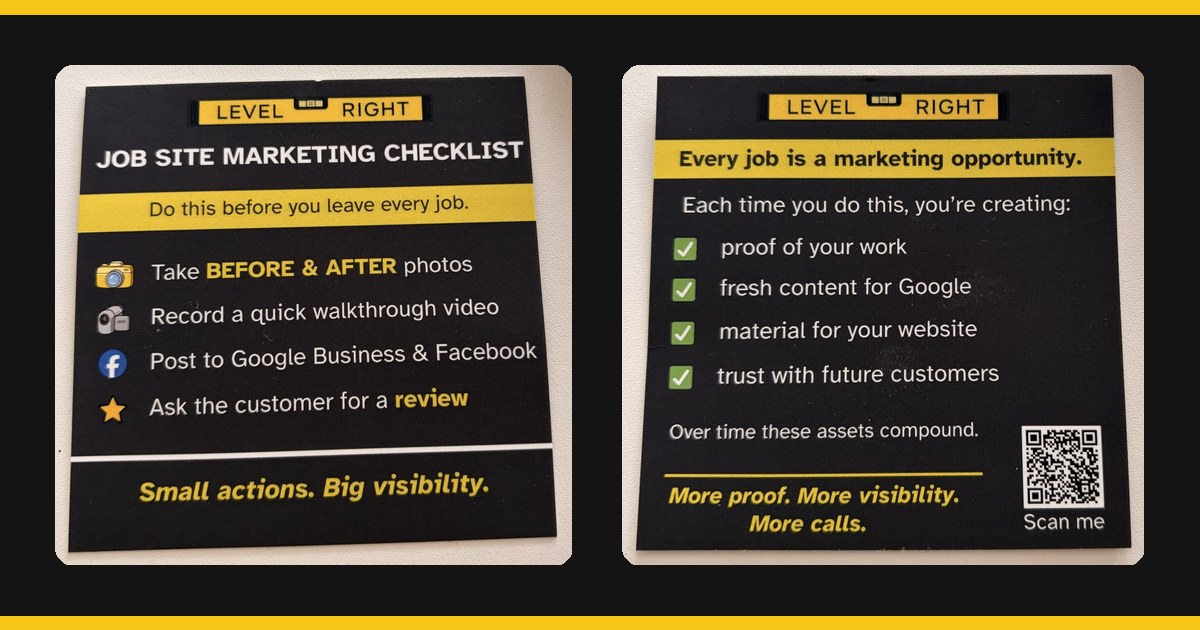
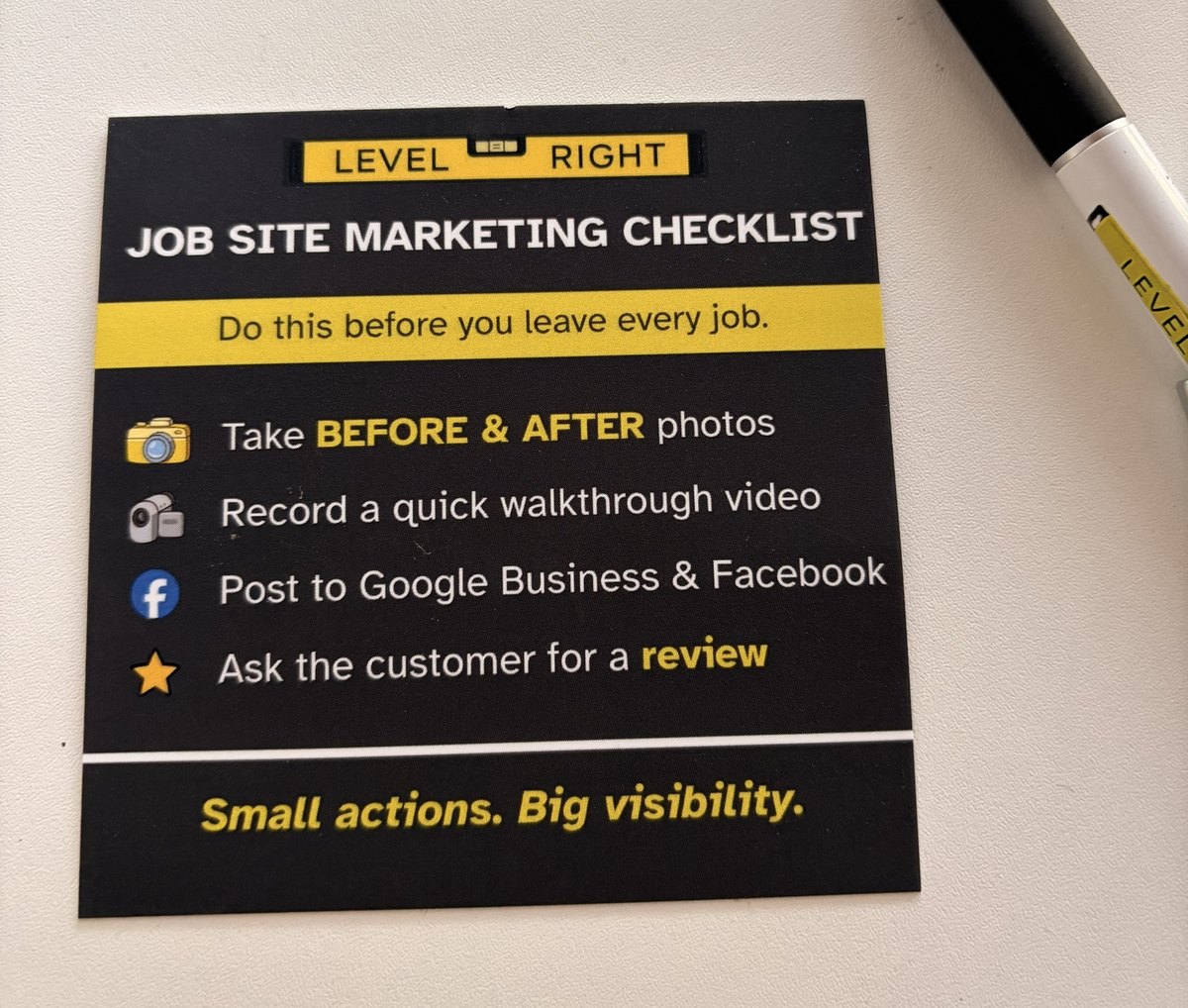
The front is a four-step checklist under one line: “Do this before you leave every job.”
- Take before and after photos.
- Record a quick walkthrough video.
- Post to Google Business and Facebook.
- Ask the customer for a review.
That’s it. Four things, about seven minutes.
The back answers the question every crew member asks sooner or later: why are we doing this? Each time you run the list, you’re creating:
- Proof of your work
- Fresh content for Google
- Material for your website
- Trust with future customers
One job’s worth of photos doesn’t change much. A season’s worth does. These assets compound.
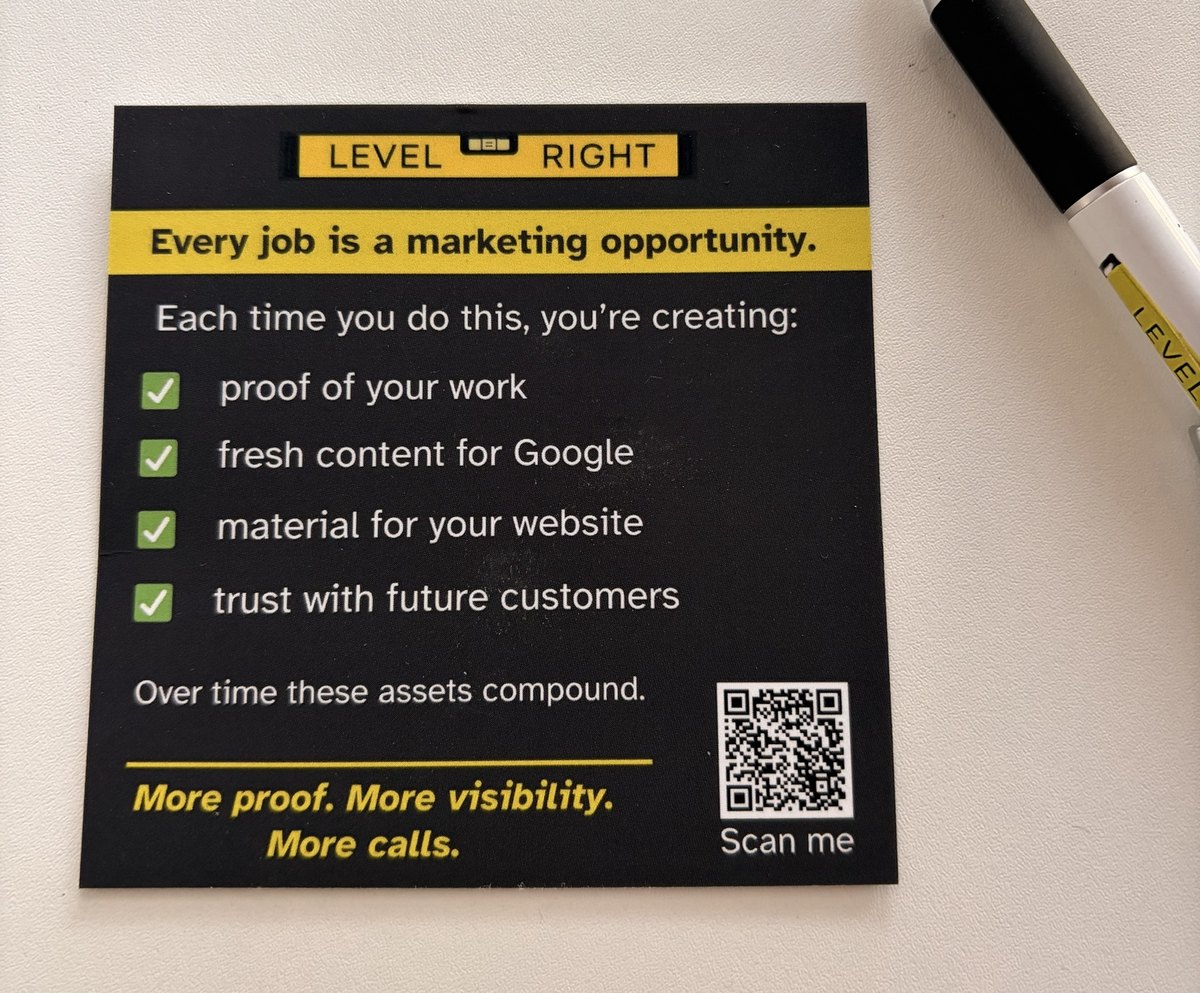
There’s also a QR code on the back. Scan it and it opens our 7-Minute Job Site Marketing guide, which walks through each step in more detail. It’s a handy thing to hand a new hire on the ride to their first job.
Where to Put It
The card only works if it gets seen at the end of the job, so where you put it matters.
- On the dash or tucked in the visor. This is the spot we’d start with. You see it every time you get in to leave.
- On the clipboard or tablet case. Good if your crew lead fills out paperwork before pulling away.
- Inside the trailer or box door. The crew sees it while loading up.
- With the invoice book or card reader. Collecting payment is a natural moment to ask for the review.
One card per truck is the minimum. Put it where the person responsible for the list actually looks.
How to Make It Stick
A card is a reminder. It still needs a little structure behind it.
- Give one person the job. On each crew, one person owns the list. If it’s everyone’s job, it’s nobody’s job.
- Decide where the photos go. A shared album, a group text, your CRM. Pick one place so the photos don’t die on someone’s phone.
- Start with step one. If four steps feels like a lot, spend the first two weeks on photos only. Then add the video, then the posts, then the review ask.
- Check it once a week. Five minutes on Friday. How many jobs did we do, and how many have photos? That one question keeps the habit alive.
Run the list on every job for a season and you end up with a library of real work from real towns. That’s what feeds your website, your Google Business Profile and your social posts. It’s also what turns into case studies and local pages that are about your actual jobs.
Want Cards for Your Trucks? They’re Free.
We made these for our clients, and we’re happy to send them to any lifter who wants them. No cost and no catch.
To get yours, text (414) 704-2051 or email josh@levelrightmarketing.com with:
- Your name and company
- Your mailing address
- How many trucks you run
We’ll drop them in the mail. Put one in every truck and see how many more jobs end with photos.
And if you’d like help turning those photos into a website and local pages that bring in calls, book a call with Josh.